
GPT-5.6 in M365 Copilot Changes What Your Data Policies Cover

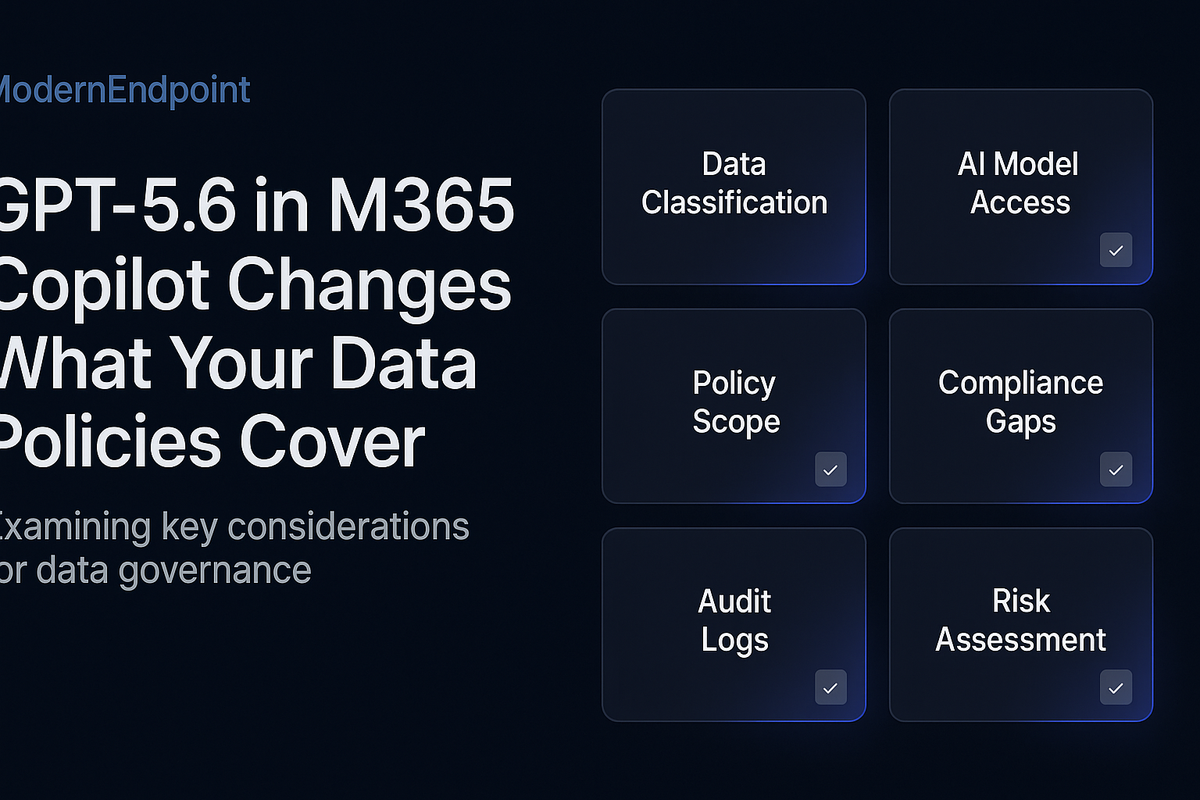
GPT-5.6 in M365 Copilot Changes What Your Data Policies Cover
The assumption that your existing DLP policies protect you from Copilot-related data exposure is one of the most dangerous beliefs in enterprise M365 right now. It is not a configuration gap. It is an architectural one.
Why Per-Workload DLP Was Never Built for AI Aggregation
Traditional DLP in Microsoft Purview operates on a workload-by-workload basis. A policy scoped to SharePoint Online evaluates content at rest in SharePoint. A policy scoped to Exchange evaluates messages in transit or at rest in mailboxes. A Teams DLP policy evaluates chat messages and channel posts.
This architecture made sense when the threat model was a user copying a credit card number into a Teams message or attaching a confidential document to an email. The sensitive data existed in one place, moved through one channel, and the DLP engine evaluated it in that channel.
GPT-5.6 breaks this model structurally. When a user asks Copilot a question like "Summarize the current state of Project Falcon including budget approvals, legal risks, and stakeholder concerns," the model does not retrieve one document. It reasons across emails, SharePoint files, Teams conversations, meeting transcripts, and Loop components — and synthesizes a single coherent output. That output may contain no string that matches a sensitive information type (SIT) pattern. It may contain no labeled document. It may contain no classified attachment. But it can contain the distilled essence of information that, individually, would have triggered three separate DLP policies.
The core enforcement gap: DLP evaluates inputs and channels. GPT-5.6 produces synthesized outputs. No current Purview DLP policy scope covers the Copilot response itself as a classifiable, enforceable artifact.
This is not a theoretical edge case. It is the default behavior of the product as shipped.
---
The Cross-Workload Context Graph: What GPT-5.6 Actually Sees
To understand the policy gap, you need a precise mental model of what data GPT-5.6 has access to when a Copilot prompt is executed.
M365 Copilot operates on the Microsoft Graph and respects existing permissions. This is the standard Microsoft reassurance, and it is technically accurate. The model only retrieves content the user already has access to. What that statement does not address is the aggregation problem: a user may have legitimate read access to dozens of data sources, none of which individually constitute a policy violation, but whose combination — synthesized by a high-capability reasoning model — produces an output that would.
GPT-5.6's enhanced reasoning means it can:
- Infer project status from a combination of a budget spreadsheet, a legal review email, and a Teams message about a delayed approval — without any of those items being labeled Confidential.
- Reconstruct personnel decisions from HR SharePoint content, manager email threads, and meeting notes stored in OneDrive.
- Produce a competitive intelligence summary by combining internal win/loss data from SharePoint with customer feedback stored in Viva Engage posts.
None of these scenarios require the model to access a single document that your DLP policies would flag. The sensitivity emerges from synthesis, not from any individual artifact.
---
Auditing Your Current Policy Coverage Against Copilot Behavior
Before you can close the gap, you need to know where it is. The first step is auditing which of your existing Purview DLP policies have any scope that touches Copilot interactions — and which do not.
Run the following PowerShell to enumerate your current DLP policies and their included workloads:
Connect-IPPSSession -UserPrincipalName admin@yourtenant.onmicrosoft.com

Get-DlpCompliancePolicy | Select-Object Name, Mode, Workload, Enabled |
    Sort-Object Workload |
    Format-Table -AutoSize
Pay close attention to the Workload column. Policies scoped only to Exchange, SharePoint, or Teams have no enforcement surface on Copilot-generated outputs. As of the current Purview architecture, Copilot interactions are captured in the Microsoft 365 Copilot workload scope — which must be explicitly added to policies.
Next, audit your sensitivity label policies to determine which labels are configured with auto-labeling conditions that would apply to Copilot-generated content:
Get-LabelPolicy | Select-Object Name, Labels, ExchangeLocation, SharePointLocation |
    Format-List

Get-AutoSensitivityLabelPolicy | Select-Object Name, Mode, Workload, AppliesTo |
    Format-Table -AutoSize
If your auto-labeling policies do not include the Copilot workload in their scope, Copilot outputs — including responses saved to Teams chats, Loop pages, or exported to documents — will not be evaluated for automatic classification. They will exist in your tenant as unlabeled, unclassified artifacts.
---
Copilot Interaction Logging: What Is and Is Not Captured
Before you can govern Copilot outputs, you need to know whether they are being logged at all.
M365 Copilot interactions are captured in the Microsoft Purview Audit log under the CopilotInteraction activity type. This is not enabled by default in all configurations, and the retention period depends on your audit log tier — E3 tenants get 90 days, E5 or Purview Audit (Premium) extends this to one year or longer with custom retention policies.
Use the following KQL query in the Microsoft Purview Audit log search (or via the Compliance portal) to validate that Copilot interactions are being captured in your environment:
// Query Copilot interaction events in Purview Audit Log
// Run in Microsoft Purview > Audit > Search
AuditLogs
| where TimeGenerated > ago(7d)
| where OperationName == "CopilotInteraction"
| project TimeGenerated, UserId, AppName, OperationName, ResultStatus,
          tostring(ExtendedProperties)
| order by TimeGenerated desc
| take 500
If this query returns no results, you have one of two problems: Copilot interactions are not being logged, or your audit log pipeline is not ingesting the CopilotInteraction event type. Both require immediate remediation before any governance posture is meaningful.
For environments with Microsoft Sentinel connected to Purview audit logs, extend this query to surface high-volume Copilot users who may be performing broad data aggregation queries:
// Identify users with high Copilot interaction volume — potential aggregation risk
AuditLogs
| where TimeGenerated > ago(30d)
| where OperationName == "CopilotInteraction"
| summarize InteractionCount = count(), UniqueApps = dcount(AppName)
    by UserId
| where InteractionCount > 200
| order by InteractionCount desc
Users with high interaction counts across multiple apps are not necessarily bad actors — but they represent the highest-risk surface for unintentional data aggregation through Copilot outputs. They are your first review population.
---
Sensitivity Labeling Gaps Exposed by Synthesized Outputs
GPT-5.6's output quality creates a labeling problem that did not exist with earlier Copilot versions. When the model produces a high-quality synthesis document — a project brief, a risk summary, a competitive analysis — that output may be saved by the user to SharePoint, Teams, or OneDrive. If it is not automatically labeled at creation, it enters your content estate as an unlabeled artifact that contains aggregated sensitive information.
The architectural fix requires two changes working together.
First, extend your auto-labeling policies to cover Copilot-generated content explicitly. In the Purview compliance portal, when configuring an auto-labeling policy, the workload selection must include Microsoft 365 Copilot as a location. This ensures that when Copilot outputs are saved as files or messages, the auto-labeling engine evaluates them.
Second, review your sensitive information types (SITs) for coverage of synthesized content. Most SIT definitions are pattern-based — they look for credit card number formats, Social Security Number patterns, or specific keyword combinations. Synthesized content from GPT-5.6 may describe sensitive information in natural language without triggering any pattern match. This is where trainable classifiers become essential.
Microsoft Purview's trainable classifiers can be trained on examples of your organization's sensitive synthesized content — project summaries, financial narratives, personnel assessments — and applied in auto-labeling policies. If you have not deployed trainable classifiers as part of your labeling strategy, GPT-5.6's output quality makes this a priority, not an option.
---
Copilot-Specific Guardrails: What Purview Now Supports
Microsoft has added Copilot-specific controls to Purview that many organizations have not yet deployed. These are distinct from standard DLP and labeling policies and require separate configuration.
Microsoft Purview Data Security Posture Management (DSPM) for AI provides a dedicated view of AI-related data risks, including overshared content that Copilot can access, sensitivity label coverage gaps in Copilot-accessible content, and interaction audit summaries. This is not a replacement for DLP — it is a risk visibility layer that sits above it.
Copilot interaction policies (currently in preview for some tenants) allow administrators to define which sensitivity labels, if present on referenced content, should cause Copilot to decline to synthesize or to add a disclosure to the output. This is the closest current equivalent to a Copilot-native DLP enforcement point.
To check whether your tenant has DSPM for AI enabled and what its current posture findings are, navigate to the Microsoft Purview compliance portal under Data Security Posture Management → AI Hub. There is no PowerShell cmdlet for this as of current release — it is portal-only configuration.
---
Governance Considerations for Retention and eDiscovery
Copilot interactions that are logged in the Purview audit log are not automatically covered by your existing retention policies. Retention policies in Microsoft Purview apply to specific content locations — Exchange mailboxes, SharePoint sites, Teams channels. Copilot interaction logs stored in the audit log are subject to audit log retention settings, not content retention policies.
This creates an eDiscovery gap. If your organization receives a legal hold or regulatory inquiry that requires preservation of all communications related to a specific project, Copilot interactions about that project may not be captured under your standard hold procedures.
The remediation requires two actions. First, confirm that your Purview Audit (Premium) license is active and that custom audit retention policies are configured to retain CopilotInteraction events for the required period. Second, work with your legal team to update eDiscovery search templates to include Copilot interaction event types as a standard search scope — not an afterthought.
For organizations subject to SEC, FINRA, HIPAA, or similar regulatory frameworks, the question of whether Copilot-generated outputs constitute a "communication" or a "record" under the applicable framework is not yet settled. Document your organization's position on this classification before regulators ask the question for you.
---
Recommendations for Architects Remediating This Gap
The following actions are sequenced by impact and feasibility. None of them require waiting for Microsoft to ship new features — all are available in current Purview and Intune tooling.
Audit first. Run the PowerShell and KQL queries in this article before making any policy changes. You cannot scope a remediation you have not measured.
Extend DLP policy workload scope. For every DLP policy that covers sensitive information types relevant to your organization, add the Microsoft 365 Copilot workload explicitly. This is a policy edit, not a new policy — it takes minutes per policy and has immediate effect.
Deploy trainable classifiers for synthesized content. Identify three to five categories of sensitive synthesized content specific to your organization — financial summaries, HR assessments, competitive intelligence — and build trainable classifiers for each. Apply them in auto-labeling policies scoped to Copilot outputs.
Validate audit log ingestion. Confirm that CopilotInteraction events are flowing into your audit log and, if you have Sentinel, into your SIEM. If they are not, this is a logging gap that makes every other governance control unverifiable.
Enable DSPM for AI. If your tenant has access to the AI Hub in Purview, enable it and review the initial posture findings. The overshared content report alone will surface SharePoint content that Copilot can access but that should be restricted — a separate but related remediation track.
Update eDiscovery templates. Add CopilotInteraction as a standard event type in your legal hold and eDiscovery search procedures.
---
Final Thoughts
GPT-5.6 is not a security vulnerability in the traditional sense. Microsoft's permission model is intact. The Graph respects access controls. But capability and compliance are different axes, and a model that reasons well across workloads creates exposure that per-workload policies were never designed to address.
The practitioners who will manage this well are not the ones waiting for Microsoft to ship a single "Copilot DLP" toggle. They are the ones who understand that the policy gap is architectural — that synthesis is a new data operation that existing frameworks did not anticipate — and who are already extending their labeling scope, validating their audit pipelines, and building trainable classifiers before the first regulatory inquiry arrives.
The model improved. Your policies need to catch up.
---



