Secure Boot Certificate Lifecycle

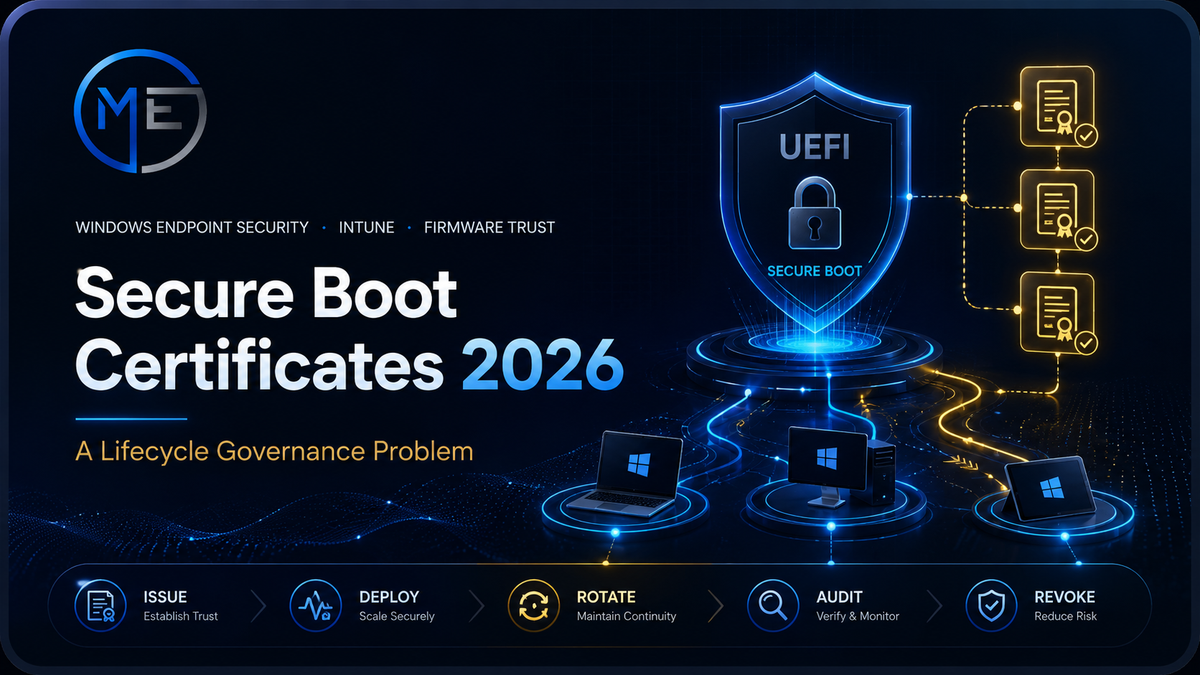
Secure Boot Certificates 2026: A Lifecycle Governance Problem
The 2026 Secure Boot certificate rollover is not only a Windows Update task. In enterprise environments, it is a lifecycle governance event that crosses firmware, Windows servicing, Intune reporting, inactive device management, compliance policy, and operational ownership.
Introduction
Most endpoint security failures do not begin with a missing security feature. They begin when a dependency is treated as invisible infrastructure and left outside the governance model.
The Secure Boot certificate transition is exactly that type of dependency. It lives below Windows policy, below application control, below identity, and below most user-facing security controls — but if it is not managed, the impact can become operationally significant.
The issue is simple: legacy Secure Boot certificates issued in 2011 are reaching expiration in 2026. Microsoft has introduced 2023 certificates to maintain trust continuity, but enterprises still need to verify that their devices actually receive, apply, and retain the updated trust material.
This is not a “set and forget” update.
It is a trust-chain rollover that must be discovered, deployed, validated, and governed across the device lifecycle.
What Is Changing in 2026?
Secure Boot relies on certificates stored in UEFI databases. These certificates help determine which boot components and UEFI applications are trusted before Windows fully starts.
The enterprise risk is not that every device will fail at once. The risk is that some devices will silently miss the transition: offline devices, devices blocked from the right update path, unmanaged firmware, disabled Secure Boot, stale Intune objects, or machines sitting in storage until after the deadline.
| Expiring certificate | Expiration | Replacement direction | Why it matters |
|---|---|---|---|
| Microsoft Corporation KEK CA 2011 | June 24, 2026 | Microsoft Corporation KEK 2K CA 2023 | Trusts future Secure Boot database update signing. |
| Microsoft UEFI CA 2011 | June 27, 2026 | Microsoft UEFI CA 2023 | Supports third-party boot loaders and UEFI applications. |
| Microsoft UEFI CA 2011 — Option ROM trust | June 27, 2026 | Microsoft Option ROM UEFI CA 2023 | Separates option ROM trust from broader third-party boot loader trust. |
| Microsoft Windows Production PCA 2011 | October 19, 2026 | Windows UEFI CA 2023 | Used for Windows boot loader trust. |
Why This Belongs in Endpoint Governance
A one-time script is not enough. A successful Secure Boot rollover requires a repeatable operating model that answers five questions:
Which devices are exposed?
You need an inventory of devices missing the 2023 certificates, devices with Secure Boot disabled, and devices that have not checked in recently.
Can the device receive updates?
Windows Update, Intune rings, WSUS design, firmware state, and network reachability all affect whether the device can transition correctly.
Who owns remediation?
The work crosses endpoint management, firmware operations, Intune reporting, compliance policy, and user communication.
What about inactive devices?
Devices in storage, powered off, or missing from Intune sync are often the real risk because they may never receive the transition automatically.
The Secure Boot Certificate Lifecycle
Do not treat this as a single update. Treat it as a lifecycle with discovery, deployment, validation, and exception handling.
Discovery: What to Check First
The first milestone is not deployment. It is visibility. Before you change anything, build a clear picture of the estate.
- Secure Boot enabled or disabled
- Presence of 2023 Secure Boot certificates
- Devices missing recent Intune check-in
- Windows Update / Update Ring health
- Firmware age and OEM update status
- Devices managed by WSUS or blocked from Microsoft update paths
- BitLocker recovery readiness
- Server and kiosk exceptions
Detection Example
The following example is intentionally simple. In production, use it as a detection concept and test across hardware models before broad deployment.
# Detection concept — Secure Boot 2023 certificate presence
if (-not (Confirm-SecureBootUEFI -ErrorAction SilentlyContinue)) {
    Write-Output "NonCompliant - Secure Boot disabled"
    exit 1
}

$dbBytes = [System.Text.Encoding]::ASCII.GetString(
    (Get-SecureBootUEFI -Name db -ErrorAction Stop).bytes
)

if ($dbBytes -match 'Windows UEFI CA 2023') {
    Write-Output "Compliant - Windows UEFI CA 2023 found"
    exit 0
}

Write-Output "NonCompliant - Windows UEFI CA 2023 missing"
exit 1
The Hidden Risk: Inactive Devices
The highest-risk devices are not always the ones that fail an active compliance check. They are the devices that are not showing up at all.
A laptop in storage, a device assigned to a user on extended leave, a rarely used kiosk, or a device blocked from Windows Update may miss the rollover entirely. That is why inactive-device management is part of the Secure Boot plan.
# Identify Windows devices that have not checked in recently
Connect-MgGraph -Scopes "DeviceManagementManagedDevices.Read.All"

$cutoff = (Get-Date).AddDays(-30)

Get-MgDeviceManagementManagedDevice -All |
    Where-Object {
        $_.OperatingSystem -eq "Windows" -and
        $_.LastSyncDateTime -lt $cutoff
    } |
    Select-Object DeviceName, UserPrincipalName, LastSyncDateTime, ComplianceState |
    Sort-Object LastSyncDateTime |
    Export-Csv ".\SecureBoot-AtRiskDevices.csv" -NoTypeInformation -Encoding UTF8
Enterprise Deployment Pattern
For managed Windows environments, the cleanest operating model usually combines several controls rather than relying on one mechanism.
Windows Update / Update Rings
Ensure quality updates are not excessively deferred, paused, or blocked, and that reboot behavior allows updates to complete.
Intune Remediation
Detect missing 2023 certificates and trigger repeatable remediation or reporting for non-compliant devices.
Firmware servicing
Coordinate OEM firmware updates using Dell, HP, Lenovo, Surface, or other vendor tooling before assuming Windows servicing is enough.
Custom Compliance
Surface Secure Boot certificate state as a device compliance signal that can be reported, governed, and eventually enforced.
Validation Example
Validation should happen after deployment and again before the deadline. The key is to confirm the actual trust material, not just that a cumulative update was installed.
# Verification concept — confirm Secure Boot and 2023 certificate presence
$report = [ordered]@{}

$report.SecureBootEnabled = [bool](Confirm-SecureBootUEFI -ErrorAction SilentlyContinue)

if ($report.SecureBootEnabled) {
    $kekBytes = [System.Text.Encoding]::ASCII.GetString((Get-SecureBootUEFI -Name KEK).bytes)
    $dbBytes  = [System.Text.Encoding]::ASCII.GetString((Get-SecureBootUEFI -Name db ).bytes)

    $report.KEK2023 = $kekBytes -match 'Microsoft Corporation KEK 2K CA 2023'
    $report.DB2023  = $dbBytes  -match 'Windows UEFI CA 2023'
}

[PSCustomObject]$report
Where Conditional Access Fits
Conditional Access should not be the first move. Blocking users before the estate is visible can create unnecessary operational impact.
The safer sequence is:
- Run discovery and identify exposure
- Deploy remediation and update rings
- Publish reporting to IT owners
- Move non-compliant devices through exception handling
- Use Conditional Access only after the signal is reliable and the blast radius is understood
Conditional Access is an enforcement layer, not a discovery tool.
Use it after the data is trustworthy.
Operating Model Checklist
Build a device exposure report.
Include Secure Boot disabled, 2023 certificate missing, Windows Update unhealthy, stale Intune sync, and firmware update required.
Separate active and inactive devices.
Active devices can usually be remediated through Intune and Windows Update. Inactive devices need owner follow-up or physical handling.
Test across hardware models.
Do not assume one detection or remediation method behaves identically across OEM firmware implementations.
Validate the result, not only the update.
The success criteria is certificate presence and trusted boot continuity, not just “patch installed.”
Source References
Use Microsoft’s Secure Boot certificate guidance and playbook as the authoritative source for dates, known issues, and deployment approach.
Final Takeaway
The Secure Boot certificate rollover is a firmware trust event, a Windows servicing event, and an endpoint governance event at the same time.
Organizations that treat it only as a patching task will miss the devices that matter most: inactive systems, firmware outliers, WSUS edge cases, non-compliant endpoints, and unmanaged exceptions.
The right operating model is simple: discover, deploy, validate, govern exceptions, and keep evidence.