
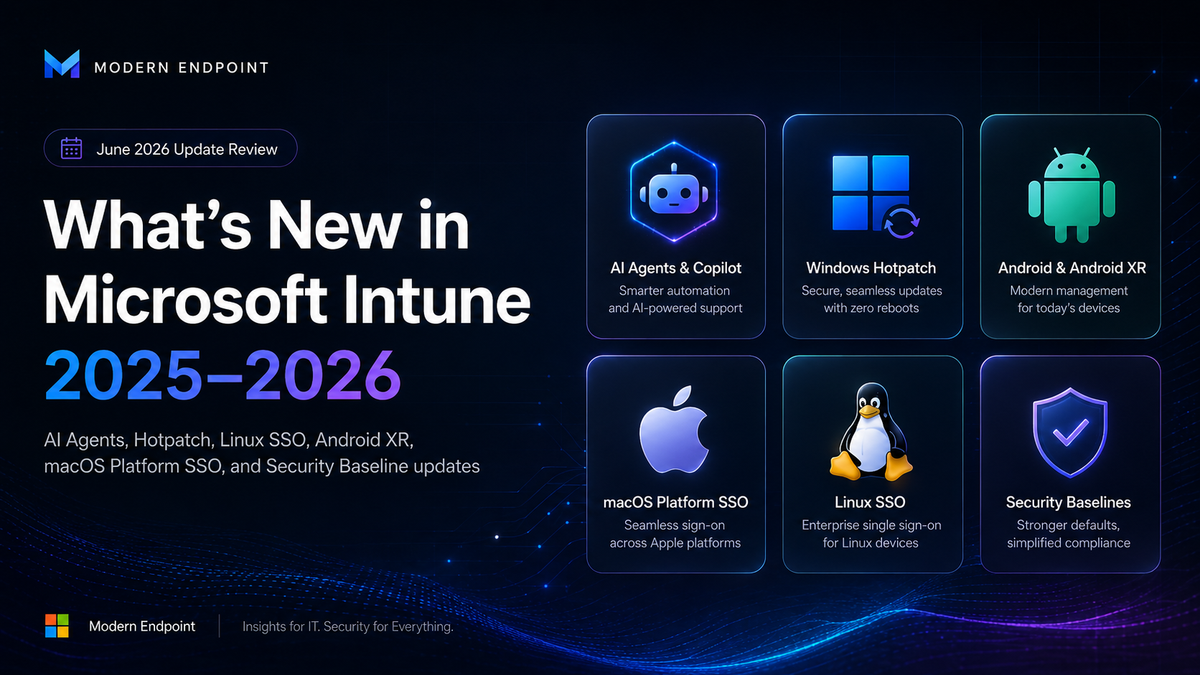
📋 Overview
Over the past six months, Microsoft has shipped dozens of new features across Intune — many arriving at Ignite 2025 with a strong AI focus, and others reaching GA throughout Q1–Q2 2026. From Windows Hotpatch that installs silently without a reboot, to Android XR and Linux SSO, to a Policy Configuration Agent that writes policies from plain English — Intune is no longer just MDM. It's the central platform for managing your organization's endpoints end-to-end.
📅 Release Timeline
🗓️ Key Releases — Ignite 2025 through June 2026
Ignite
🤖 AI & Security Copilot
Ignite 2025 brought AI directly into the Admin Center — Security Copilot is now available to all E5 customers, and a set of AI Agents help admins manage policies, detect threats, and take action at scale.
Security Copilot + Intune AI Agents
🪟 Windows
PowerShell Scripts as Installer
When creating a Win32 App, admins can now upload a PowerShell script as the installer — no more re-packaging the entire binary for every script change.
- Eliminates the need to repackage on every script update
- Supports custom deployments per group
- Also available in Enterprise App Catalog
Enhanced App Inventory — All Apps Tab
The "All Apps" tab received a full refresh — inventory data updates on a more frequent schedule, uploading only changes since the last sync.
- Less network load — Delta-only sync
- More accurate and timely version data
- GA — April 2026
Windows Backup for Organizations
Launched at Ignite 2025, this feature lets admins back up and restore user settings and Microsoft Store app lists during Enrollment or Recovery. Configured and managed entirely from Intune — no external backup solution needed.
- Works during Autopilot Enrollment and during device Reset/Restore
- Preserves Personalization Settings, Store App lists, and more
- Compatible with Windows 11 + Intune Plan 1 and above
📱 Platforms — Android / macOS / Apple / Linux
- NEW Android XR Device Management — Dedicated & Fully Managed modes (Apr 2026)
- GA Personal Work Profile Android Management API — no Company Portal needed during enrollment (May 2026)
- GA Direct LOB App Upload — APK straight to Intune, multiple versions per group (May 2026)
- NEW MTD Enhanced Permissions — Defender for Endpoint exempt from App Suspension/Hibernation
- NEW Managed Home Screen — Offline Mode + app access without sign-in (Frontline)
- GA Platform SSO with ADE registration on macOS — no more missed notification during enrollment (May 2026)
- NEW Userless ADE for visionOS (Apple Vision Pro) and tvOS (Apple TV) via ABM/ASM
- PREV Additional Apple ADE improvements — Enrollment Customization & Zero-Touch Provisioning
- NEW Admin Insights for macOS — unified Compliance + Inventory + Health view
- NEW Linux SSO via Microsoft Identity Broker — Phishing-Resistant MFA, PIV Keys (Apr 2026)
- NEW Support for RHEL 9 LTS and RHEL 10 LTS (Jun 2026)
- END RHEL 8 LTS support ends July 2026 — migration required
- NEW Certificate-Based Auth + Smart Card + Security Keys for Linux Endpoints
⚙️ Management & Security
Beyond platform-specific features, Intune received a series of admin experience improvements, endpoint security controls, and approval workflow enhancements — with focus on EPM, Offboarding, and new integrations.
EPM — Endpoint Privilege Management
Elevation Requests with a unified view — admins approve or deny privilege escalation requests and create reusable rules. Every approval or denial is logged for audit purposes.
Multi Admin Approval
Sensitive actions — Scripts, Device Wipes, Role changes — now require approval from multiple admins. Each step is timestamped for full compliance traceability.
Device Offboarding Agent
Automatically identifies unused or outdated devices that may pose a security risk, and suggests managed Offboarding actions — unenrollment, remote wipe, and more.
Revamped TeamViewer Integration
The TeamViewer integration in Intune was redesigned — simpler onboarding, improved reliability for Remote Assistance workflows, fewer manual configurations.
Enterprise State Roaming → Intune
From end of June 2026, Enterprise State Roaming can no longer be managed via Entra. Management moves entirely to Intune — action required if you still use ESR.
Admin Insights for Windows 365
Public Preview — a unified dashboard aggregating Reporting, Monitoring, and Alerting from Intune for Cloud PC management in Windows 365 with AI insights.
🛡️ Security Baselines
Security Baselines are one of Intune's most powerful tools — preconfigured groups of settings representing Microsoft's security recommendations per platform. In 2025–2026, new versions shipped for all major baselines, with significant changes you should review before any migration.
Windows 11 — Version 25H2 (September 2025)
The latest MDM Security Baseline version in Intune — 9 changes from 24H2.
- • NTLM Auditing — Default ON
- • Require IPPS for IPP Printers
- • ASR: Block PSExec/WMI (Audit)
- • Additional Network Printing policy
- • Default values changed
- • Stricter security hardening
- • Updated security guidance
- • Retired settings no longer
- • relevant to Windows 11 25H2
"Disable IE11 via COM automation" and
"Configure NetBIOS settings"
Microsoft Edge — Version 139 (April 2026)
Jump from v128 (January 2025) to v139 — the largest version gap between releases ever.
- Stricter SmartScreen enforcement
- Typo Protection — blocks lookalike domains
- Block PUA (Potentially Unwanted Apps)
- Enhanced Security Mode for unfamiliar sites
- Prevent Bypass of SmartScreen Prompts
Microsoft Defender for Endpoint Baseline
Documentation updated April 2026 — continues to evolve with every MDE release.
- Designed for physical devices only
- Not recommended for VMs / VDI Endpoints
- Enforces ASR Rules + Credential Guard
- Full Attack Surface Reduction settings
⚠️ VBS / HVCI — Verify Hardware Compatibility Before Rollout
Memory Integrity (HVCI) and Virtualization-Based Security settings from the baseline
cause failures on older hardware and on some Business Premium devices.
Always verify compatibility before deployment — use Report Only
mode first, then roll out in phases.
🔄 Baseline Profiles Do Not Auto-Update
When a new baseline version is released, existing profiles become Read-Only — you can keep using them, but cannot edit them. To move to the new version, create a new profile or perform a manual version update in Intune Admin Center (Endpoint Security → Security Baselines → Profile → Change Version). Always review the diff before migrating in production.
⚠️ Action Required — RHEL 8 LTS End of Support
Intune support for RHEL 8 LTS ends in July 2026. If you have Linux Endpoints running RHEL 8, plan your migration to RHEL 9 LTS or RHEL 10 LTS before that date to maintain full Compliance and Support.
💡 Intune Plan 2 — Worth Considering
EPM — Endpoint Privilege Management
Granular privilege management for Windows Endpoints — Elevation Requests, Just-in-Time Admin, full Audit Trail. Available as an Add-on or as part of Intune Suite.
- Eliminates the need for users to be Local Admins
- Controlled, one-time approvals per task
- Aligned with Least-Privilege Zero Trust
Microsoft Intune Suite — Everything in One Place
Intune Suite includes EPM, Advanced Analytics, Remote Help, Tunnel for MAM, and Specialized Device Management — one solution for full endpoint coverage.
- Advanced Endpoint Analytics + AI Insights
- Remote Help with secure Screen Sharing
- Microsoft Tunnel for MAM (no Enrollment required)