Your Copilot Data is Leaking — Federated Connectors Fix It

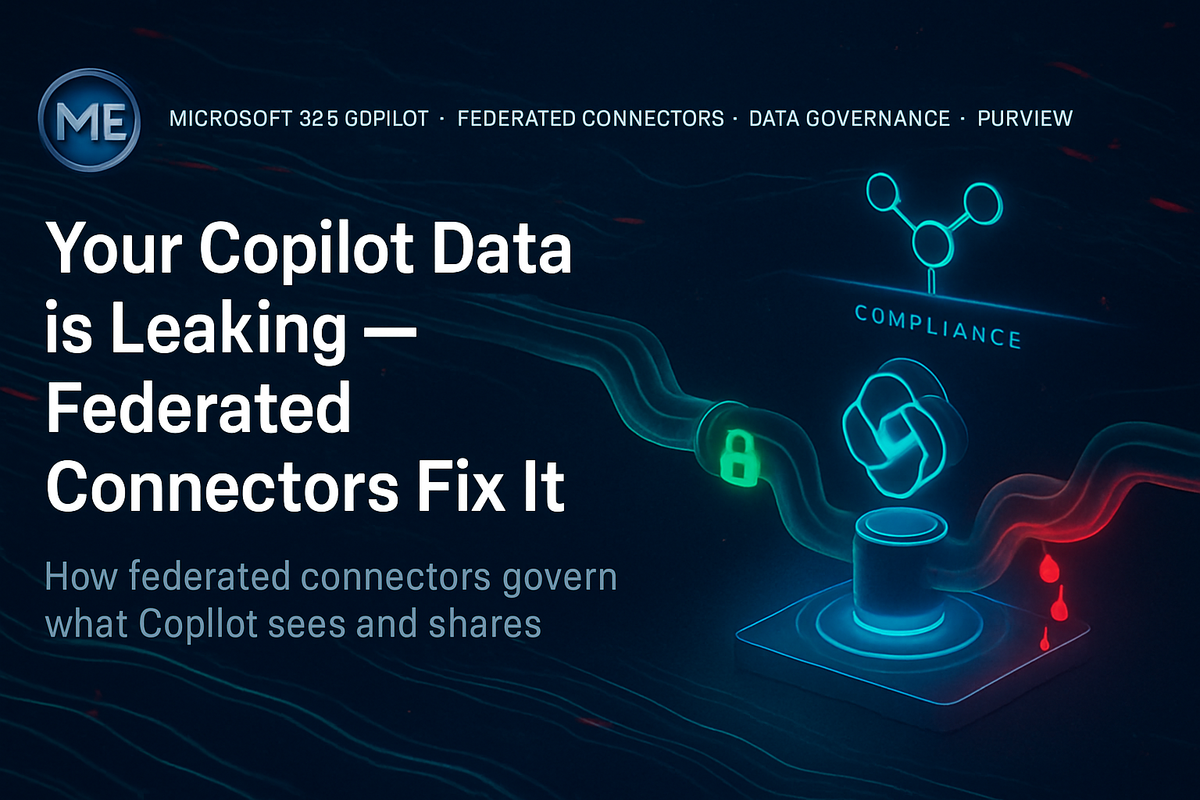
Your Copilot Data is Leaking — Federated Connectors Fix It
I was in a governance review with a large professional services firm last year. Their Microsoft 365 Copilot rollout had gone well technically — adoption was solid, users loved it. Then their security team ran a simple test. They asked Copilot a question about a client engagement. Copilot answered correctly, pulling context from a SharePoint site that three people in the room had no business accessing. The permissions had been wrong for two years. Nobody noticed until Copilot made the data useful enough to matter.
🔍 The Connector Architecture Problem Nobody Talks About
Microsoft 365 Copilot grounds its responses in content from Microsoft Graph. Native content — SharePoint, Teams messages, Exchange, OneDrive — is governed by the same identity and permissions model users interact with daily. When a user queries Copilot, responses are scoped to what that identity can reach through Microsoft 365. That architecture is sound.
Graph connectors (formerly Microsoft Search connectors) extend that graph to external systems. They crawl content from third-party platforms and index it into the Microsoft 365 tenant. The connector authenticates to the source system, pulls content, and makes it available through the Graph API — and therefore through Copilot.
Here is where the architecture diverges from assumptions. Most connector configurations authenticate with a service account — a single identity with read access to the source system. That means all crawled content enters the Microsoft 365 index under one trust boundary. If the connector's service account can read a Confluence space marked as restricted, that content is indexed. And if per-user permission trimming is not configured correctly, any Copilot user in the tenant can potentially surface that content in a response.
The federated search model changes some of this by querying the source system at runtime rather than pre-indexing. But it introduces its own complexity, which is the architecture this guide focuses on.
---
🏗️ Federated vs. Indexed Connectors — The Architectural Difference
Understanding the distinction between indexed connectors and federated connectors is the foundational decision in this architecture.
| Dimension | Indexed Connector | Federated Connector |
|---|---|---|
| Data location | Crawled into Microsoft 365 index | Stays in source system |
| Query time | Pre-indexed, fast | Real-time query to source |
| Permission enforcement | ACL mapping at index time | Per-user auth at query time |
| Freshness | Depends on crawl schedule | Always current |
| Compliance scope | Data enters M365 data boundary | Data remains outside M365 |
| Copilot grounding | Yes (via Graph) | Yes (via federated query) |
| Sensitivity label support | Via connector property mapping | Limited — source system dependent |
Federated connectors matter specifically because they keep data in the source system's boundary. When Copilot queries a federated connector, the query is executed against the source system using the user's own credentials (via OAuth delegation or Entra ID-backed SSO) rather than a service account. That means the source system's native access control model stays intact. The user gets back only what they could access directly in that system.
That is the architectural promise. The gap is in execution — and I've seen that gap cause significant exposure in production environments.
---
🔐 Identity Flow — How Federated Authentication Actually Works
The security architecture of a federated connector depends entirely on the identity model connecting Copilot to the source system. Three patterns exist in the wild:
1. Service Account Authentication — The connector authenticates with a shared credential. All users get the same data visibility as the service account. This is the most common pattern and the most dangerous for sensitive data.
2. OAuth Delegation — The connector uses the querying user's OAuth token, delegated through Entra ID. The source system sees the actual user identity and enforces its own ACLs. This is the correct architecture for sensitive enterprise data.
3. Entra ID SSO with External System Trust — The source system trusts Entra ID as an identity provider. Authentication is federated at the identity layer, and permissions enforce the user's actual role in the source system. This requires setup on both sides but produces the strongest governance model.
In my experience, the only pattern I would recommend for enterprise-grade Copilot grounding on sensitive external data is OAuth Delegation or Entra ID SSO. Service account authentication might be acceptable for public-facing content like a company intranet or product documentation — systems where every employee has equivalent read access regardless of identity. The moment confidential project data, HR systems, or customer records enter the picture, service account authentication creates an ACL collapse at the connector layer. I've seen this generate compliance findings in regulated industries.
🧩 Microsoft Components in This Architecture
Every component below plays a specific role. Ignoring any one of them creates a gap.
- Microsoft 365 Copilot — the query surface that grounds responses in connector content
- Microsoft Graph — the API layer that indexes connector content and serves federated queries
- Microsoft Search — the underlying search infrastructure hosting Graph connector indexes
- Entra ID — identity broker for user authentication to federated sources
- Microsoft Purview — sensitivity labels, data classification, audit logging for connector content
- Microsoft Defender for Cloud Apps — CASB layer for monitoring connector activity and detecting anomalous data access patterns
- Microsoft Sentinel — SIEM for correlating connector access events with broader threat signals
- SharePoint Online — reference permission model that illustrates what correct ACL enforcement looks like at scale
---
⚠️ Licensing — What You Need Before You Start
Federated connectors require Microsoft 365 Copilot licensing for the querying users. The connector infrastructure itself runs on the Microsoft Search platform, which is included in Microsoft 365 E3/E5. However, the Copilot grounding capability that makes connectors useful to AI responses requires the Copilot add-on license. Graph connector capacity (number of items indexed) scales with tenant licensing tier.
| License | Connector Support | Copilot Grounding | ACL Trimming | Audit in Purview |
|---|---|---|---|---|
| M365 E3 | Indexed connectors only | No (Copilot not included) | Yes, with configuration | Limited |
| M365 E5 | Indexed + custom connectors | No (Copilot not included) | Yes, with configuration | Full |
| M365 Copilot (add-on) | Required for Copilot grounding | Yes | Yes | Full |
| M365 E5 + Copilot | Full capability | Yes | Yes | Full with Purview DLP |
---
🎯 Implementation Guide — Step by Step
Phase 1: Audit Existing Connector Configurations
Before deploying federated connectors, understand what is already indexed. I've walked into tenants where IT teams had configured connectors two years prior and completely forgotten about them.
// Microsoft Sentinel — detect Graph connector data access events
// Requires Microsoft 365 audit log ingestion
OfficeActivity
| where OfficeWorkload == "MicrosoftSearch"
| where Operation in ("SearchQueryInitiatedSharePoint", "SearchQueryInitiatedUnified")
| where ResultStatus == "Success"
| extend ParsedQuery = tostring(AdditionalProperties.QueryText)
| project TimeGenerated, UserId, ParsedQuery, ClientIP, AdditionalProperties
| order by TimeGenerated desc
Review the Microsoft Search admin center first:
Navigation path: admin.microsoft.com > Settings > Search & intelligence > Data sources
Every active connector is listed here with its authentication method, crawl status, and last index time. Document what you find. For each connector, answer three questions: What credential does it authenticate with? What content scope does it cover? Does ACL trimming match the source system's permission model?
Phase 2: Configure a Federated Connector with OAuth Delegation
The Microsoft 365 admin center supports connector configuration through the Search & intelligence blade. For connectors requiring per-user authentication, the OAuth flow must be registered in Entra ID first.
Step 1 — Register an app in Entra ID:
Connect-MgGraph -Scopes "Application.ReadWrite.All"

$appParams = @{
    DisplayName = "Copilot-Federated-Connector-ServiceNow"
    SignInAudience = "AzureADMyOrg"
    RequiredResourceAccess = @(
        @{
            ResourceAppId = "00000003-0000-0000-c000-000000000000" # Microsoft Graph
            ResourceAccess = @(
                @{
                    Id = "e1fe6dd8-ba31-4d61-89e7-88639da4683d" # User.Read
                    Type = "Scope"
                },
                @{
                    Id = "8116ae0f-55c2-452d-9944-d18420f5b2c9" # ExternalItem.ReadWrite.OwnedBy
                    Type = "Role"
                }
            )
        }
    )
}
New-MgApplication @appParams
Step 2 — Configure the connector to use delegated permissions:
Reference the Microsoft documentation for connector setup at: https://learn.microsoft.com/en-us/microsoftsearch/configure-connector
The connector configuration wizard in the admin center will ask for the OAuth client ID and tenant ID registered above. Set the authentication type to "OAuth 2.0 with user delegation." This instructs the connector to use the querying user's token, not a shared credential.
Step 3 — Map ACLs from the source system:
ACL mapping is where most implementations fail. The connector must translate source system permissions into a format Microsoft Graph understands. For Entra ID-backed systems, user mapping is straightforward. For systems with their own user directories, you need an explicit identity mapping table.
{
  "aclEntries": [
    {
      "type": "user",
      "value": "user@contoso.com",
      "accessType": "grant"
    },
    {
      "type": "group",
      "value": "7a4d8c9f-1234-5678-abcd-ef1234567890",
      "accessType": "grant"
    },
    {
      "type": "everyone",
      "value": "everyone",
      "accessType": "deny"
    }
  ]
}
The deny entry for everyone is the critical governance control. Without it, content falls back to tenant-wide visibility if explicit grants are incomplete. Always set the default to deny.
Omitting the everyone: deny ACL entry is the single most common misconfiguration I encounter in federated connector deployments. Without it, any content that lacks an explicit grant entry becomes visible to all authenticated users in the tenant. This is not a theoretical risk — it has caused real data exposure events in production.
Phase 3: Validate Permission Trimming
After configuration, validate that permission trimming works correctly before Copilot users interact with connector content.
// Check Search audit logs for connector result visibility
// Run in Microsoft Sentinel or Log Analytics (requires OfficeActivity table)
OfficeActivity
| where OfficeWorkload == "MicrosoftSearch"
| where Operation == "SearchQueryInitiatedUnified"
| where ResultStatus == "Success"
| extend ResultSources = tostring(AdditionalProperties.ResultSources)
| where ResultSources contains "ExternalItem"
| project TimeGenerated, UserId, ResultSources, AdditionalProperties.QueryText
| summarize ExternalResultCount = count() by UserId, bin(TimeGenerated, 1h)
| order by ExternalResultCount desc
Test with two synthetic user accounts: one with source system access and one without. Query Copilot with both. The user without source system access should receive no connector-sourced content in the response. If they do, the ACL mapping is broken.
Phase 4: Enable Purview Audit for Connector Content
Microsoft Purview audit logging captures connector-sourced content access events. This is the compliance trail regulators ask for.
Navigation path: compliance.microsoft.com > Audit > Search
Filter on SearchQueryInitiatedUnified operations with the ResultSources field containing external connector results. Export these logs to a retention-compliant storage location.
Reference: https://learn.microsoft.com/en-us/purview/audit-log-activities
Build a saved Purview audit search for connector access events and schedule it as a weekly export to a SharePoint document library. This creates a passive audit trail without requiring manual intervention each week. Regulators appreciate documentation that predates any incident — not documentation assembled after one.
---
---
📊 Monitoring — What to Watch and Where
Monitoring connector health and security requires signals from three separate surfaces.
Microsoft Search Admin Center tracks connector crawl health, index freshness, and item counts. Check this weekly. A connector with a stale crawl timestamp is a signal that the service account credential has expired or the source system API has changed.
Microsoft Defender for Cloud Apps provides behavioral analytics for connected app activity. If you have connected the source system to Defender for Cloud Apps, anomalous access patterns from Copilot connector queries will surface as alerts.
// Defender XDR Advanced Hunting — detect unusual volume of external connector results
// Use in Microsoft Defender portal > Hunting > Advanced Hunting
CloudAppEvents
| where ActionType == "SearchQueryInitiated"
| where Application == "Microsoft Search"
| extend ConnectorResults = toint(AdditionalFields.ExternalItemCount)
| where ConnectorResults > 50
| project Timestamp, AccountDisplayName, AccountUpn, ConnectorResults, IPAddress
| order by ConnectorResults desc
Microsoft Sentinel aggregates signals from both surfaces. Build a scheduled analytics rule that alerts when a user with no prior connector access history suddenly retrieves more than a threshold of external items through Copilot. That pattern does not mean an attack is occurring, but it is worth investigating.
---
🚫 What This Technology Does NOT Solve
Federated connectors with proper ACL mapping close the identity gap between Copilot and external systems. They do not close everything.
Data classification remains your responsibility. Connector content enters Copilot responses without sensitivity labels unless you explicitly map source system metadata to Microsoft Purview label properties. A Confluence page marked "Confidential" in Confluence is just text to Microsoft Graph unless you build the mapping.
Connector authentication does not prevent prompt injection. If an attacker can write content into a system the connector indexes, they can potentially craft content that influences Copilot responses. This is an active research area and a real risk for connectors that index customer-facing or externally editable content.
Federated connectors do not enforce DLP policies on source content. Microsoft Purview DLP operates on Microsoft 365 content. Content grounded from a federated connector sits outside that enforcement boundary at query time. DLP will not block a Copilot response that includes sensitive content from a ServiceNow ticket.
Rate limiting and API cost from source systems is your problem. High Copilot usage in a large tenant will generate significant API call volume against your federated source systems. If your ServiceNow or Confluence instance has API rate limits, expect throttling events that degrade Copilot response quality. Plan this with your source system administrators before deploying at scale.
---
---
🏗️ Enterprise Architecture — The Full Picture
---
---
⏱ Production Lifecycle
---
🔐 Governance Model — Who Owns What
In my experience, the governance conversation around connectors happens too late — usually after the first audit finding or the first user complaint about unexpected data appearing in Copilot responses.
Establish ownership before deployment:
- Connector Owner — the business unit or IT team responsible for the source system. They approve what content scope the connector covers and validate ACL mapping against their system's access model.
- Identity Owner — Entra ID or IAM team responsible for the OAuth app registration, token lifecycle, and identity mapping between M365 and the source system.
- Security Reviewer — security architecture team validates the authentication model and ACL configuration before production deployment.
- Purview Administrator — enables audit logging, defines retention scope for connector access events, monitors DLP gap coverage.
- Review Cycle — quarterly ACL mapping review against current org structure. Annual authentication model review.
A connector with no named owner is an operational liability. In every environment I have reviewed, unnamed connectors are the ones with expired credentials, outdated ACL mappings, and no monitoring. If you cannot name a human being accountable for a connector's governance, do not deploy it.
---
---
---
📊 Common Mistakes — What I See in the Field
1. Service account authentication on sensitive data sources. The most common. Teams connect Jira or ServiceNow with a service account because it is faster and avoids the OAuth consent experience. Sensitive project data becomes tenant-visible.
2. No ACL default deny. Partial ACL mapping with no fallback deny leaves content gaps that default to open. Test with a user who should have no access. If they can see connector content, your ACL mapping is incomplete.
3. Treating connector configuration as a one-time task. Source systems change. Org structures change. OAuth tokens expire. Connectors that are not actively maintained drift toward misconfiguration silently.
4. No sensitivity label mapping. Connector content enters Copilot responses without classification context. Copilot cannot warn users about sensitive content if the content arrives unlabeled. Build metadata-to-label mapping into the connector schema from day one.
5. Deploying at scale without pilot validation. I would never deploy a connector to the full tenant without running a controlled pilot with test users on both sides of the permission boundary. Validating that unauthorized users cannot access connector content is a five-minute test that takes five minutes to skip and weeks to clean up after.
---
🎯 Final Architect Recommendation
If I were advising a customer today, my recommendation would be direct: do not deploy federated connectors for Copilot grounding until you have completed three things. First, a full audit of what Copilot is already grounding natively in Microsoft 365 — SharePoint, Teams, Exchange. Fix that permission surface before expanding to external systems. Second, a confirmed identity mapping between your Microsoft 365 user directory and every source system you intend to connect. Partial identity mapping with OAuth delegation produces partial permission enforcement. That is worse than service account authentication in some ways, because it creates a false sense of security. Third, a named governance owner for each connector before it goes into production.
When those three conditions are met, federated connectors are the correct architecture for extending Copilot grounding to external enterprise data. They keep sensitive data in the source system's boundary. They enforce per-user permissions when configured correctly. They produce an audit trail that compliance teams can work with.
What I would not do: connect HR systems, financial platforms, or customer data systems through connectors before completing the governance prerequisites. The business value of having Copilot surface HR data quickly is not worth the compliance exposure of surfacing that data incorrectly.
What breaks first in production — and it almost always does — is the identity mapping. A user is offboarded from the source system but not from Microsoft 365. Their Entra ID token still exists. The connector still sees them as a valid querying identity. The source system may or may not enforce the deprovisioning. Build deprovisioning validation into your identity lifecycle process before deployment, not after the first audit question.
The connector platform is mature enough to deploy in production. The governance thinking around it frequently is not. Close that gap first.
---
🎯 The Takeaway
- If your connector authenticates with a service account against a sensitive data source, rebuild it with OAuth delegation before enabling Copilot grounding — service account authentication collapses the source system's ACL model into a single trust boundary the entire tenant shares.
- Always configure an explicit
everyone: denyACL entry as the default fallback — without it, content with incomplete ACL mapping becomes visible to all authenticated users, and you will not know until someone surfaces data they should not have. - If you cannot name a governance owner for a connector, do not deploy it — unowned connectors drift, credentials expire, and ACL mappings go stale. Ownership is not an operational nicety. It is the control that keeps the connector secure at month six and year two.
- Validate permission trimming before production rollout — test with a synthetic user account that has no access rights in the source system. If that user receives connector-sourced content in a Copilot response, the configuration is wrong. Fixing this before production takes an hour. Fixing it after an exposure event takes much longer.
- When deploying connectors for Copilot grounding, sequence matters — native Microsoft 365 permission hygiene first, connector governance framework second, connector deployment third. Reversing that sequence is how organizations end up in audit findings.